Table of Contents Show
As someone who spends way too much time researching everything from competitive analysis to regulatory changes, I was getting frustrated with the manual grind of web research. You know the drill: open 20+ browser tabs, sift through low-quality content, manually synthesize findings, and somehow always miss that one authoritative source that would have answered your question perfectly.
So I built something better.
Meet My AI Research Assistant
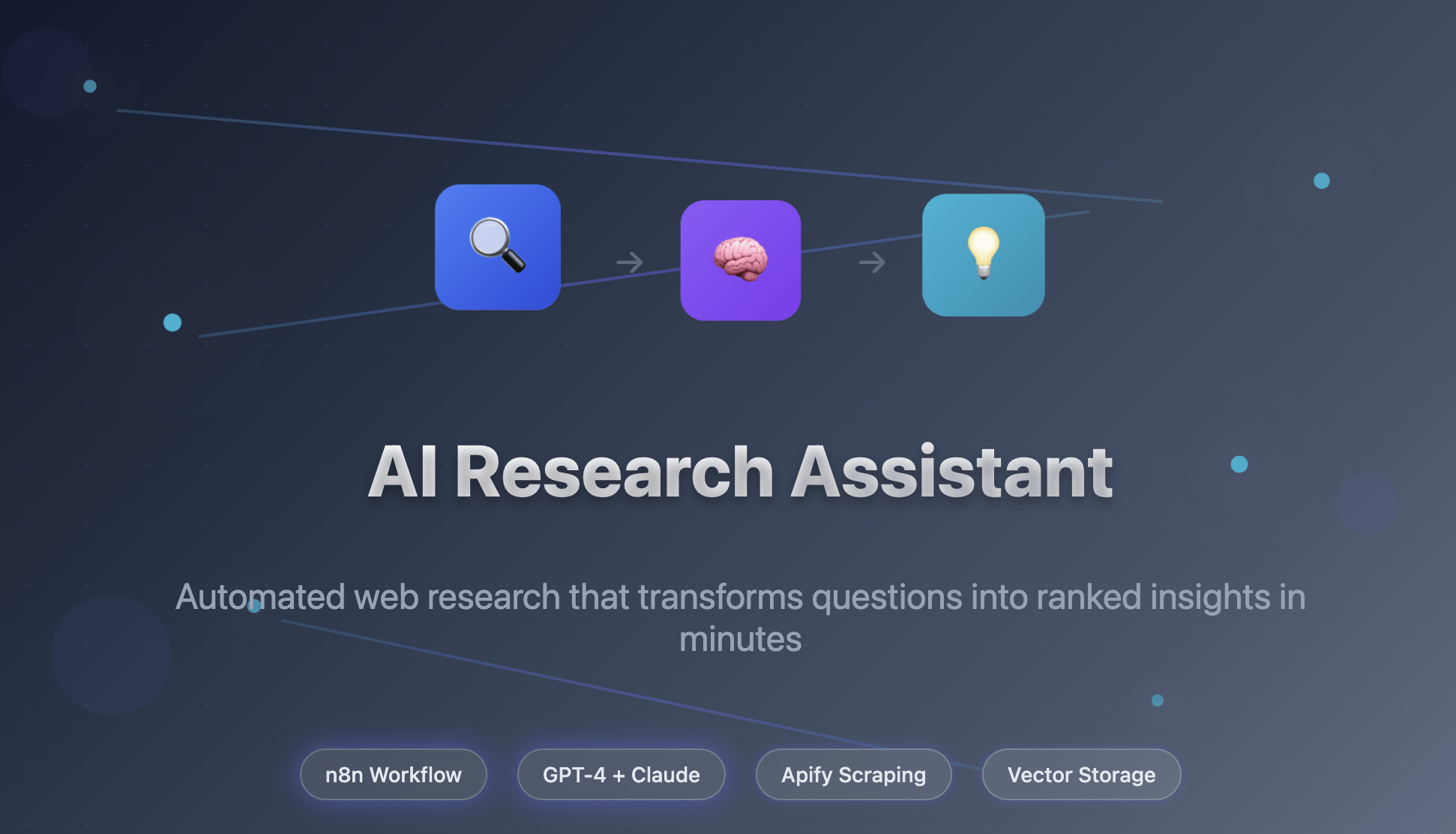
I’ve created an n8n workflow that transforms any research question into ranked, authoritative insights in under 10 minutes. It combines multiple AI models, smart web scraping, and intelligent filtering to do what used to take me hours of manual work.
The results speak for themselves:
- Research time: From 2-3 hours → 5-10 minutes
- Source quality: Automatically filters for authoritative sites
- Cost: Just $0.08-$0.34 per research query
- Output: Top 3 ranked insights + summaries, ready to use
Why I Built This (And Why You Might Want It Too)
Here’s what was driving me crazy about manual research:
The Time Sink: Every research question meant opening dozens of tabs, reading through articles of varying quality, and manually synthesizing findings. A simple competitive analysis could easily consume half a day.
Quality Control Issues: Google search results are a mixed bag. For every authoritative source, there are dozens of forum posts, outdated articles, and clickbait content that waste your time.
Repetitive Processing: I’d often end up re-researching the same topics or processing duplicate information without realizing it.
Inconsistent Synthesis: Manual note-taking and synthesis meant my research quality varied depending on how tired I was or how rushed the project timeline.
The Architecture: Multi-AI Pipeline Design
I designed this as a 7-stage pipeline that leverages the strengths of different AI models:
Stage 1: Smart Query Optimization (GPT-4.1 Mini)
Instead of just throwing your question at Google, the system starts by transforming natural language into optimized search queries:
Input: "How important are regular backups for small businesses?"
Output: "small business backup importance" site:sba.gov OR site:microsoft.com OR filetype:pdf -site:reddit.com -site:quora.com -site:pinterest.com
The query builder automatically:
- Targets authoritative domains (government, industry leaders, academic sources)
- Excludes noise (forums, social media, clickbait sites)
- Uses advanced search operators for precision
- Includes file type filters for official reports
Stage 2: Intelligent Web Scraping (Apify RAG Browser)
Using Apify’s specialized RAG web browser, the system:
- Executes optimized search queries
- Scrapes full content from relevant pages
- Converts everything to clean, structured markdown
- Handles various website structures and content types
Stage 3: Duplicate Prevention (Qdrant Vector DB)
Before processing any content, every URL gets checked against a vector database to:
- Prevent duplicate processing
- Save API costs
- Build a growing knowledge base
- Enable semantic search for future queries
Stage 4: AI Content Filtering (Claude Sonnet 4)
Here’s where it gets interesting. I use Claude Sonnet 4 to evaluate each scraped article on two dimensions:
Relevance Scoring (0-100):
- How well does the content address the research query?
- Are key topics/entities from the query present?
- Does it provide actionable information?
Quality Assessment (0-100):
- Content depth and substance
- Presence of facts, data, expert insights
- Source credibility indicators
- Content freshness and proper structure
Only articles scoring high on both dimensions proceed to full analysis.
Stage 5: Dual Analysis Pipeline (GPT-4.1 Mini)
Articles that pass filtering get processed in parallel through two specialized agents:
Insight Extraction Agent:
- Identifies specific claims and recommendations
- Extracts supporting evidence and direct quotes
- Tracks external sources and citations
- Flags whether claims rely on external research
Summarization Agent:
- Creates focused 2-3 sentence summaries
- Maintains context while filtering irrelevant info
- Uses contemporary, accessible language
- Perfect for quick stakeholder updates
Stage 6: Intelligent Ranking (GPT-4.1 Mini)
The final synthesis stage:
- Compares all extracted insights and summaries
- Ranks by relevance, authority, and uniqueness
- Removes redundant information
- Presents top 3 insights + top 3 summaries
Stage 7: Knowledge Base Building (Ollama + Qdrant)
All processed content gets:
- Chunked for optimal semantic search
- Embedded using local Ollama models (cost-effective)
- Stored in Qdrant for future reference
- Made searchable for follow-up questions
Real-World Performance: A Case Study
Let me show you this in action with a recent research question I had about business backup strategies:
Query: “How important are regular backups for small businesses according to US Small Business Administration or Microsoft?”
The traditional approach would have involved:
- 2-3 hours of manual searching
- 20+ browser tabs
- Manual note-taking from various sources
- Risk of missing authoritative guidance
- Inconsistent synthesis quality
My automated workflow delivered:
Top Insight: Small businesses face a 60% chance of going out of business within 6 months of a major data loss event, according to FEMA disaster recovery statistics cited by the SBA.
Supporting Evidence: Direct quote from SBA.gov: “Data backup and recovery plans are essential for business continuity, with regular testing recommended quarterly.”
Source Authority: Official government guidance (sba.gov)
Processing Time: 7 minutes, 23 seconds
Cost: $0.18 in API calls
Use Cases That Work Particularly Well
Since launching this publicly, I’ve seen it excel in several specific scenarios:
Competitive Analysis:
- Automatically gather latest product announcements
- Track competitor pricing and feature changes
- Monitor industry trends and market positioning
Regulatory Research:
- Find latest guidance from government agencies
- Track policy changes and compliance requirements
- Gather official documentation for audits
Content Research:
- Find authoritative backing for articles and reports
- Gather expert opinions and industry data
- Identify trending topics with solid sources
Due Diligence:
- Research companies, markets, or technologies
- Gather multiple perspectives on business decisions
- Find official filings and regulatory information
Technical Setup: What You’ll Need
The workflow requires several API accounts, but the setup is straightforward:
Required Services:
- OpenAI API (GPT-4.1 Mini) – Query optimization, summarization, ranking
- Anthropic API (Claude Sonnet 4) – Content quality filtering
- Apify account – Web scraping capabilities
- Qdrant instance – Vector database (local or cloud)
- Ollama installation – Local embeddings (nomic-embed-text model)
Cost Breakdown:
- Most research queries: $0.08-$0.34
- Scales with the number of sources processed
- Duplicate prevention keeps costs predictable
- Local embeddings minimize ongoing costs
Customization for Different Domains
One of the things I’m most proud of is how adaptable this system is. You can easily modify it for specialized research:
Legal Research:
- Target .gov and .edu domains
- Include legal databases and court systems
- Filter for recent case law and statute changes
Medical Research:
- Focus on PubMed and health authorities
- Include peer-reviewed journals
- Filter for recent clinical studies
Financial Analysis:
- Target SEC filings and financial news
- Include analyst reports and earnings calls
- Focus on quantitative data and trends
Lessons Learned and Future Improvements
Building this taught me several important lessons about AI automation:
Multi-Model Approach Works: Using different AI models for different tasks (GPT-4.1 for synthesis, Claude for quality assessment) produces better results than relying on a single model.
Early Filtering Saves Money: The content quality filter eliminates 60-70% of scraped articles before expensive processing, keeping costs predictable.
Vector Storage is Essential: The duplicate prevention and semantic search capabilities make this a learning system that gets better over time.
Parallel Processing Wins: Running summarization and insight extraction in parallel cuts processing time in half without compromising quality.
What’s Next
I’m already working on several enhancements:
- Multi-language support for global research
- Citation tracking and bibliography generation
- Collaborative features for team research projects
- Custom scoring models for domain-specific quality assessment
- Integration with popular research tools like Notion and Obsidian
Try It Yourself
The complete workflow is available as a free template on the n8n community. You can import it directly into your n8n instance and start automating your research today.
Want to see it in action first? The template includes a working example with the business backup research question. Just import, configure your API keys, and run it to see the full pipeline in operation.
Final Thoughts
This project represents more than just a workflow – it’s a fundamental shift in how I approach research. Instead of being a bottleneck in my analysis process, research has become an automated foundation that lets me focus on synthesis, strategy, and insights.
The combination of smart query optimization, AI-powered filtering, and intelligent ranking creates results that are often more comprehensive and consistent than manual research, while being dramatically faster.
If you’re someone who regularly needs to research complex topics – whether for business analysis, content creation, or strategic planning – this kind of automation can be transformative.
Want to discuss this workflow or share your own automation ideas? Connect with me on LinkedIn or check out more of my automation projects on GitHub.
The complete n8n workflow template is available for free at: https://n8n.io/workflows/6822-automate-web-research-with-gpt-4-claude-and-apify-for-content-analysis-and-insights/

 Peter Zendzian